
Digital Printing on T- Shirts: How DTG Works
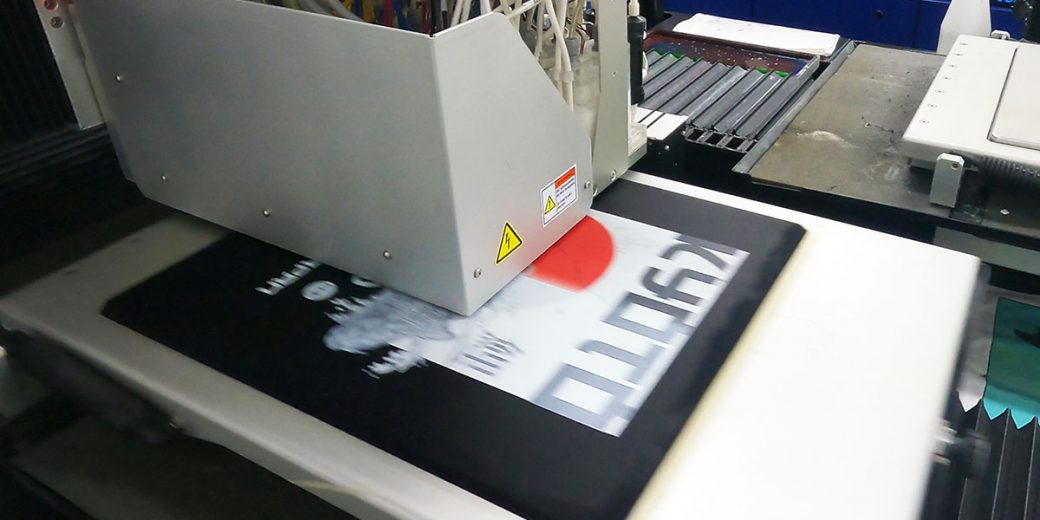
Kyoto design printed onto a black tee on the platen of a Kornit DTG printer.
Digital printing takes the design file on your computer and prints it straight onto the garment, much like an inkjet printer puts an image on paper.
You’ll see it called digital printing, DTG or direct-to-garment printing. On a t-shirt, all three mean the same thing.
It’s the only method we use for every shirt we print. DTG is very good at full-colour artwork, photos and fine detail, and at printing one shirt at a time with no setup fee and no minimum.
It’s weaker in three places: big runs of one simple design, where a screen print can cost less per shirt; polyester, which the ink does not take well; and the wash, where a digital print asks for more care than a screen print.
Below: how the print is made, how long it lasts, which fabrics and files work, and when a screen-print run would cost you less.
What Is Digital Printing on a T-Shirt?
Digital printing is a method that takes a digital image and converts it into a format a printer can lay directly onto a garment.
There are no screens, stencils or films in between, so nothing has to be made before the first shirt is printed.
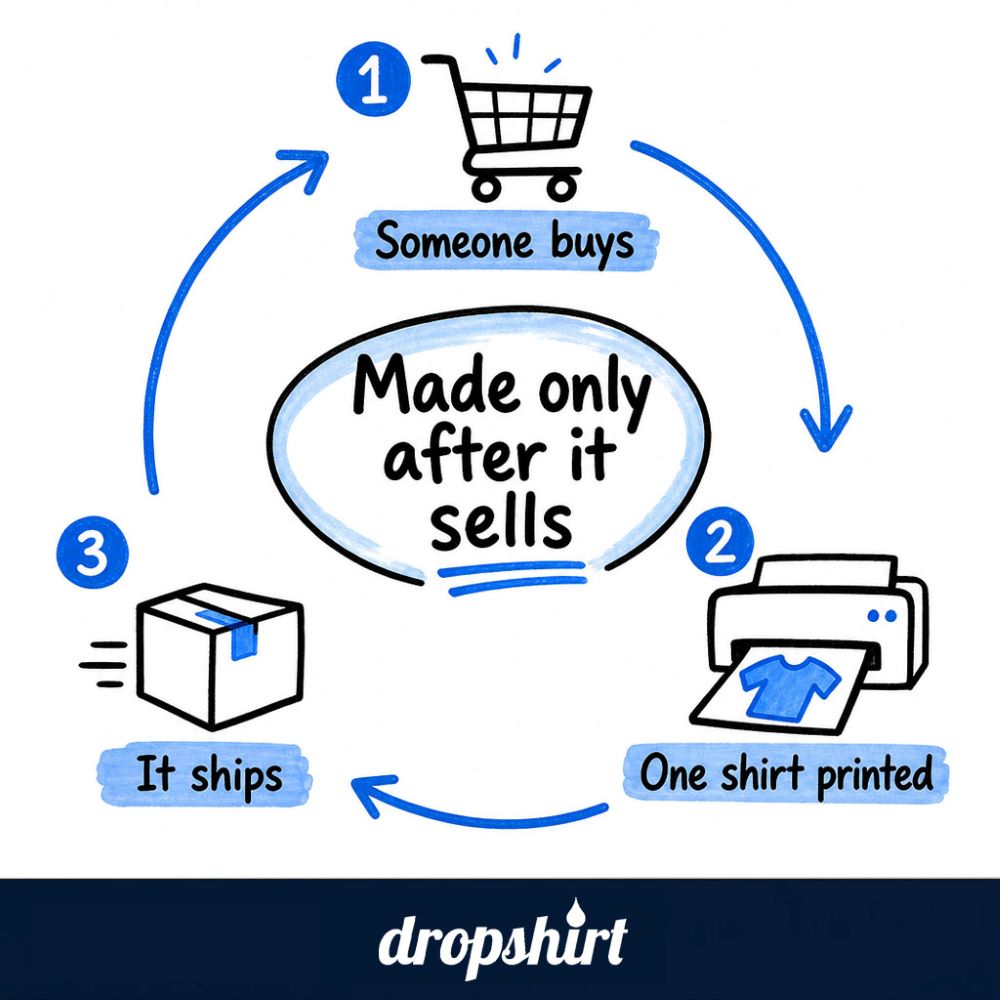
That’s what makes it useful for a seller. Printing one shirt takes the same setup as printing the fiftieth, which is none, so a shirt can be printed after your customer has paid for it, not before.
We print on Kornit DTG printers with water-based pigment inks in Queensland, Australia.
How DTG Printing Works
A DTG print goes through four stages.
- Pretreat. A liquid pretreatment goes onto the print area and is dried or cured. Like a primer before paint, it helps the ink bond to the fibres.
- White underbase (dark shirts only). DTG inks are water-based and slightly translucent, so a colour printed straight onto a black shirt would barely show. The printer first lays down white ink wherever the design will go. That white layer is the canvas the colours sit on.
- Colour. The printer then lays the colour inks over the underbase, or straight onto the pretreated fabric on a white shirt. The ink soaks into the cotton fibres rather than sitting on top as a thick layer, which is why a DTG print feels soft.
- Heat cure. The printed shirt goes through heat to set the ink so it survives washing.
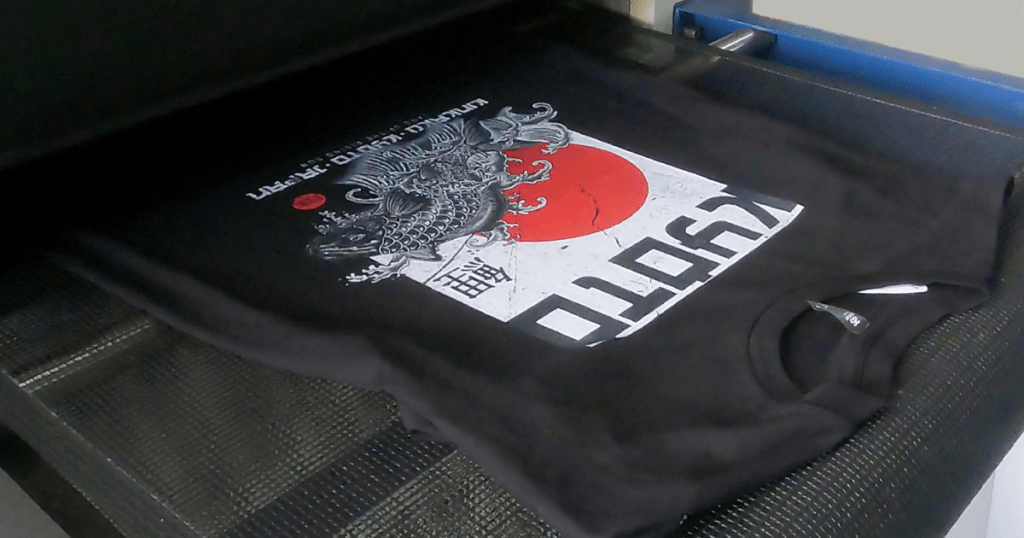
A printed tee on the tunnel dryer belt, where the ink is heat cured.
Print time is a few minutes per shirt, plus the pre-treatment and the 8-minute cure time.
That’s quick for one shirt and slow for a thousand copies of the same shirt, and most of what follows comes back to that.
Related: How DTG have improved Print-on-demand services
Pros and Cons of DTG Printing
Pros
- Freedom of design: Hand-drawn designs, illustrations, gradients, photographs and small text all reproduce well. A full-colour print costs the same as a one-colour print, because there’s no screen per colour to pay for.
- No setup and no minimum: One shirt is a valid order. There are no screen charges and no small-order fees.
- Easy to change: Updating a design means updating the file, so you can test new designs and colourways without being left with old stock.
- Quick turnaround: We print blacks and whites within 3 working days, and other colours within 3 to 7 working days depending on stock, plus shipping.
Cons
- The price per shirt does not drop with volume: DTG has no setup cost to spread, so the hundredth shirt costs much the same as the first. Screen printing works the other way. For one design in a big run, a screen print can cost less per shirt (see the worked example below).
- It asks for more care in the wash: Cold and inside out, as covered below.
- It suits cotton, not polyester: The water-based inks bond with natural fibres. On polyester-heavy fabric, colours come out duller.
- Colours are less solid than a screen print: A DTG print is vibrant, but next to a screen print’s thicker, more opaque ink, you may see the difference.
- Small variations happen: The same file can print very slightly differently from shirt to shirt, depending on the fabric, its weight, the shade of white and the machine. We explain where normal ends and a fault begins in our print quality guide.
- Some positions are off limits: We can’t print over seams, hems or collars. DTG sleeve printing is currently suspended, though a DTF transfer sleeve print is available. Fronts, backs, left or right breast, the bottom of the shirt and large prints up to about 40 x 50 cm are all fine.
How Long Does a DTG Print Last?
“DTG prints fade” is a fair worry. A well-cured DTG print lasts a long time when it is washed properly, and fades sooner when it’s not.
The only published wash figures come from printers and the machine maker, so each figure below is the claim of the company that published it:
- Kornit, the printer manufacturer, published its own wash test in July 2026. Shirts were washed at 40°C for 50 and 100 cycles and judged from photos. Kornit reports the prints stayed bright, and that several of the shirts themselves faded more than the print did. It is a manufacturer testing its own ink on its own machine, so treat it as a best case, not a guarantee.
- T-Shirt Printing Australia, an Australian Online printer that uses Kornit machines, says its prints “will last over 50 washes” if the care guidelines are followed, and that polyester blends and marle colours may fade sooner.
We haven’t run our own wash test, so we will not put a number on our prints. Instead, order a sample of your design on the shirt you plan to sell, wash it a couple of times the way your customers will, and look at it before you list it.
Wash care to pass on to your customers
How the shirt is washed and dried has a big effect on how long the print lasts.
Put these instructions on your product page or a care card:
- Wash cold, on a gentle or delicate cycle.
- Turn the shirt inside out before washing.
- Do not tumble dry. Air dry out of direct sunlight.
- Do not iron over the print. If you must iron, iron the reverse side.
- Skip fabric softener and bleach.
Which Fabrics Print Best?
Cotton and cotton-rich blends. DTG uses water-based inks that only work really well on natural fibres like cotton, which soak the ink in and hold it.
Blank tees ready for printing.
Polyester is the problem fabric. The ink does not bond with synthetic fibres the same way, so a polyester-heavy shirt prints duller and tends to fade sooner.
A cotton-rich blend can still print well. But if your design has to go on a 100% polyester sports tee, DTG is the wrong method; sublimation and film transfers, covered below, suit polyester better.
Also explore all-over sublimation printing for this kind of fabric.
Fabric weight and the shade of white also change how a print looks, which is part of why the same design can look slightly different on two blanks.
For the detail on cotton, polyester and blends, read our guide to t-shirt fabric types. For cuts and styles, see types of shirts.
Getting Your File Print-Ready
A DTG printer can only print as well as the file it is given, and the file is the one part of the process entirely in your hands. Here is what we need:
| Requirement | What it means |
|---|---|
| File type | A .png in RGB mode. No vector file is needed. |
| Size | Create the file at the size you want it printed, not at screen size. |
| Resolution | Exactly 300 dpi at that print size. |
| Background | Transparent. |
| Trim | Trim away empty transparent space, because the file prints at the size of the artwork, not the canvas. |
| File name | Dashes and underscores are fine. Avoid symbols such as ?, #, @ and commas, which break the file link. |
A few things catch people out:
- Low-resolution files cannot be fixed by changing a number. Setting a 72 dpi file to 300 dpi will not add detail. Start again at the right size, or get the artwork redrawn.
- More than 300 dpi is not better. The printer software resets a higher-resolution file to 300 dpi, which changes the printed size of your design.
- Photoshop can quietly save at 72 dpi. Use File, then Save As, then .png, rather than Export As, and reopen the file to check it really is 300 dpi before you upload it.
Print size and price. Our prices include a print up to about 21 x 29 cm (A4) on one side. A larger print adds $3.65 (up to 35 x 40 cm) or $7.10 (up to 40 x 50 cm, the maximum).
A second print position, such as a back print or a small logo on the chest, is added as a reverse-side print, from $6.50 for a print up to 10 x 10 cm.
All prices are AUD ex GST on our product pricing page, checked 9 November 2026.
Placement. We print your design as close as we can to where you put it on your mock-up. The standard position is centred, in the top half of the front or back.
Left breast, right breast and the bottom of the shirt are fine too, but you will need your own mock-up for those.
Our guide to creating a mock-up shows how. The full rules are on our artwork requirements page, and if you are unsure about a file, order a sample before you sell it.
DTG vs Screen Printing vs Heat Transfer
So how are t-shirts printed? There are four main ways: screen printing, DTG, heat transfers and sublimation.
Embroidery is the other common decoration, but it is stitched, not printed. Each suits a different order size, design and fabric.
| DTG (digital) | Screen printing | Heat transfer (including DTF) | |
|---|---|---|---|
| How it works | Ink printed straight onto the shirt from a file | Ink pushed through a mesh stencil, one screen per colour | Design printed or cut onto film or vinyl, then heat-pressed onto the shirt |
| Best for | Small runs, one-offs, full-colour and photographic designs, many designs | Big runs of one design with few colours | Polyester, caps, heavy fabrics, small runs |
| Minimums and setup | None | Setup per colour, per print position; minimums of about 10 to 50 per design, depending on the printer and the number of colours | Varies; some DTF printers have no minimum or setup fee |
| Colours | Unlimited, at no extra cost | Each colour adds a screen; dark shirts need a white underbase as an extra colour | Full colour for printed transfers; cut vinyl is one colour per layer |
| Feel and durability | Soft, ink soaks into cotton; needs careful washing | Thicker, more opaque ink; very durable | A film layer bonded onto the surface; depends on the transfer and the press |
A few notes on the methods that do not fit neatly in the table:
- Screen printing is the traditional bulk method. It is not so good for sellers who post one shirt at a time as orders come in, because the whole run has to be printed first.
- Heat transfers cover several things: cut vinyl (single-colour shapes, so not suited to photos), print-and-cut transfers, and direct to film (DTF), where a full-colour design is printed onto film and pressed on. Branded transfers, such as those sold by Supacolour, are transfers too, not a separate method. Our caps are printed this way, with a transfer up to 10 x 6 cm.
- Sublimation prints dye onto paper, then heat turns the dye into a gas that bonds with polyester fibres. You cannot feel the print, and it can cover the whole garment, but it only works on polyester.
- Embroidery stitches the design in thread. It suits caps better than stretchy t-shirt fabric (more on that in the questions below).
We print DTG, plus transfers on caps and sleeves. We do not screen print, embroider or sublimate.
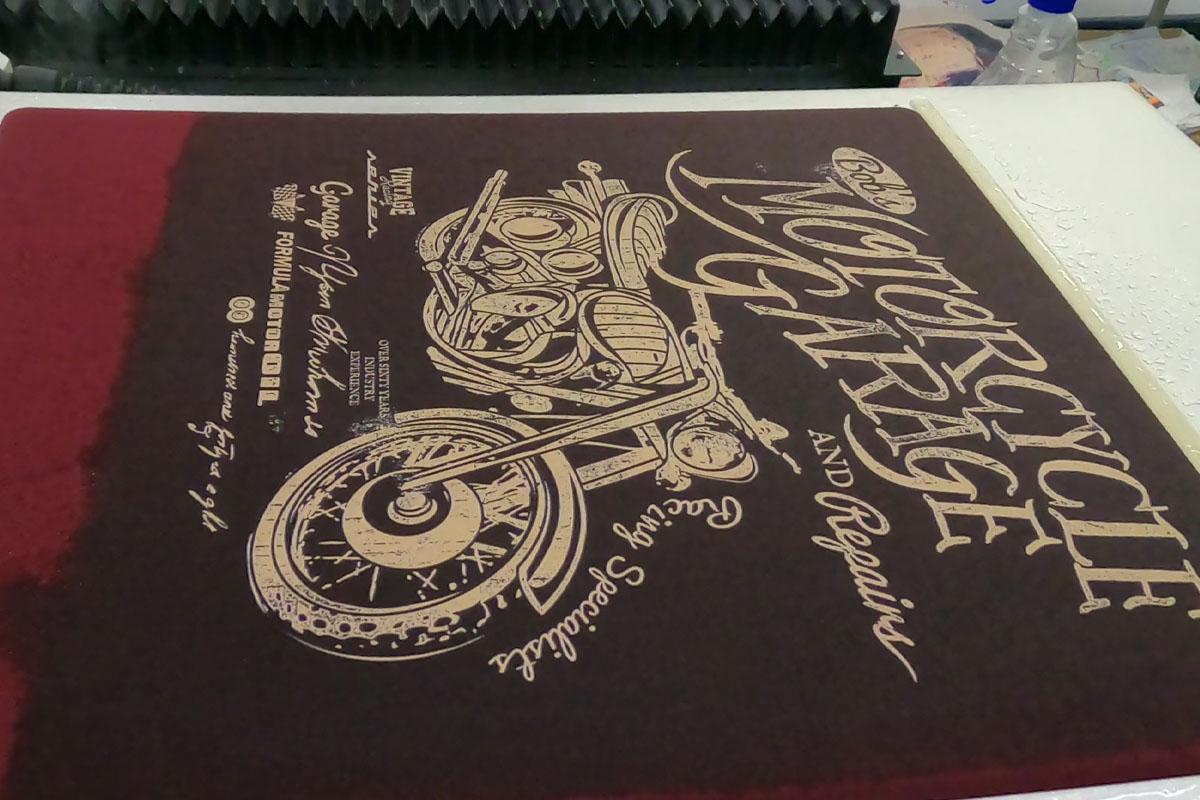
DTG printed t-shirt on wet pretreatment, before curing
When DTG Is Cheaper Than Screen Printing
The two methods are priced in opposite ways. A screen print has a setup cost for every colour, then a lower price per shirt that keeps falling as the run grows.
A DTG print has no setup, so the price per shirt stays flat whether you order one or one hundred. Which one costs less depends on how many of the same design you will sell.
Take 50 shirts with a simple one-colour design, priced both ways. The screen-print figures are TSPA published screen-printing prices: “From $16.46 each, excluding GST, for 50 AS Colour Staple tees with a 1-colour print.” All prices are AUD ex GST, checked 9 November 2026.
| Screen-print run (TSPA) | DTG on demand (DropShirt) | |
|---|---|---|
| Shirt | AS Colour Staple tee | AS Colour Staple tee (AS5001) |
| 1 colour | Full colour, up to A4 | |
| Price per shirt | From $16.46 | $18.35 white, $21.15 colours |
| Setup | None | None |
| Minimum | 25 per design (up to 4 colours) | One shirt |
| 50 shirts | $963.60, paid before you sell any | Paid as each one sells |
| Effective cost per shirt | $19.27 | Same as the price per shirt |
| Packing and posting | You store, pack and post each order | We pack and post each order (postage charged at cost) |
T-Shirt Printing Australia uses the same shirts, so it’s fair to compare it with both of ours. At 50 shirts of a one-colour design, the two methods land within about $1.70 a shirt of each other.
Neither is clearly cheaper at this point. The real differences are the $963.60 you pay up front for the run, and who does the packing and posting.
A digital print costs the same on the first shirt and the fiftieth. A screen print gets cheaper with every shirt, but only after you have paid for the screens.
Where DTG comes out ahead
- Fewer than 25 of a design. Below the minimum.
- More colours, or a dark shirt. Each colour needs its own screen, and a dark shirt needs a white underbase, which counts as another colour. A two-colour design on a black tee needs about three screens: $180 in setup, or $7.20 a shirt across a 25-shirt run, before the shirt price. A full-colour DTG print on a black AS Colour Staple tee is still $21.15.
- Several designs. Each design needs its own screens and its own minimum. Four one-colour designs on white shirts means $240 in setup and at least 100 shirts. With DTG, four designs cost the same per shirt as one.
- Stock you might not sell. A print run is paid for up front; across sizes, you have to guess. If a design or a size does not sell, that money sits in a box. With DTG, the shirt is printed after your customer has paid.
Where screen printing wins
One simple design at high volume. TSPA’s starting price to screen print 100 or more one-colour shirts is from $14.32ea + GST.
That’s well below our $18.35+GST. We say the same in our print-on-demand vs print run comparison: if you will sell 100 of the same shirt, a print run beats print-on-demand on unit price.
If you’re at that point, our sister business, T-Shirt Printing Australia, offers bulk screen printing and embroidery.
Just remember what the lower unit price buys you: a box of stock, paid for up front, that you then store, pack and post yourself.
You can also do both: a print run for the one design that sells in volume, and DTG for everything else.
Is DTG Right for Your Shirts?
Ask yourself these four questions.
How many of each design will you sell?
If you will sell a handful of a design, or you do not know yet, DTG is the safer choice. You print as orders arrive and never hold stock. If you know you will sell 100 or more of one simple design, price up a screen-print run as well.
What does the design look like?
Full colour, photos, gradients, fine line work, or lots of designs: DTG handles all of these at the same price per shirt. A bold one or two-colour logo is where screen printing is strongest.
What is it going on?
A cotton or cotton-rich tee is ideal. A polyester sports tee is not, and neither is a design that has to cross a seam.
How much do you want to spend before you sell anything?
A screen-print run is money spent before your first sale. With DTG on demand, you pay for each shirt after your customer has bought it. If the design is untested, that matters more than a dollar or two on the unit price.
If DTG fits, our product pricing page lists every blank with the print included. We print each order, pack it and post it to your customer under your brand, with no DropShirt branding on the parcel.
That is how our white label print-on-demand service works. There is no minimum order and no monthly fee, and you can create an account when you are ready to connect your store.
Related Questions
What is the difference between DTG and DTF?
DTG prints straight onto the shirt, and the ink soaks into the fibres. DTF (direct to film) prints the design onto a film, which is then heat-pressed on, so the print is a layer bonded onto the surface.
Some printers use DTF where DTG struggles: polyester, heavy fabrics, caps and activewear. On a cotton tee, DTG gives a softer feel. We print shirts with DTG, not DTF.
Can you embroider on a t-shirt?
You can, but it is not always a good idea. Embroidery gives a beautiful finish, but t-shirt fabric is soft and stretches. That stretch can distort the design, or the stitches can pull too tight and spoil it.
A small chest logo works better than a large design, and caps and heavier fabrics that do not stretch suit embroidery best. We do not embroider.
What is the cheapest way to print one t-shirt?
For a single shirt you plan to sell, screen printing is out, because the setup and minimum order are built for runs. That leaves DTG or a transfer.
With us, one AS Colour Staple tee with an A4 print is $18.35 on white or $21.15 on a colour, ex GST, plus postage at cost.
But the cheapest print is not what makes a shirt worth buying. Our owner puts it bluntly: if two dollars is the difference between making money and losing money, you should not be in this business. Sell a shirt that is worth wearing.
Can you DTG print on polyester?
Not well. The water-based inks are made for cotton, so polyester-heavy fabric prints duller and tends to fade sooner. A cotton-rich blend can work. For 100% polyester, look at sublimation or a film transfer instead.
